OpenGL2.0

I know OpenGL2.0 has been out for a while now and i have been developing small example programs for learning purpose, But I've been putting off developing using OpenGL2.0 (GLSL) etc because I wasn't sure if people would be able to play them because of hardware issues. I wanted to develop a game which used OpenGL2.0 features. I wanted to try it out for Last PyWeek but most of the people participating did not have compatible graphics hardware so i scraped that idea. But after having looked at a couple of game engine related blog posts at http://blog.wolfire.com/, I decided i have to write a game with Graphics Engine using GLSL shaders.

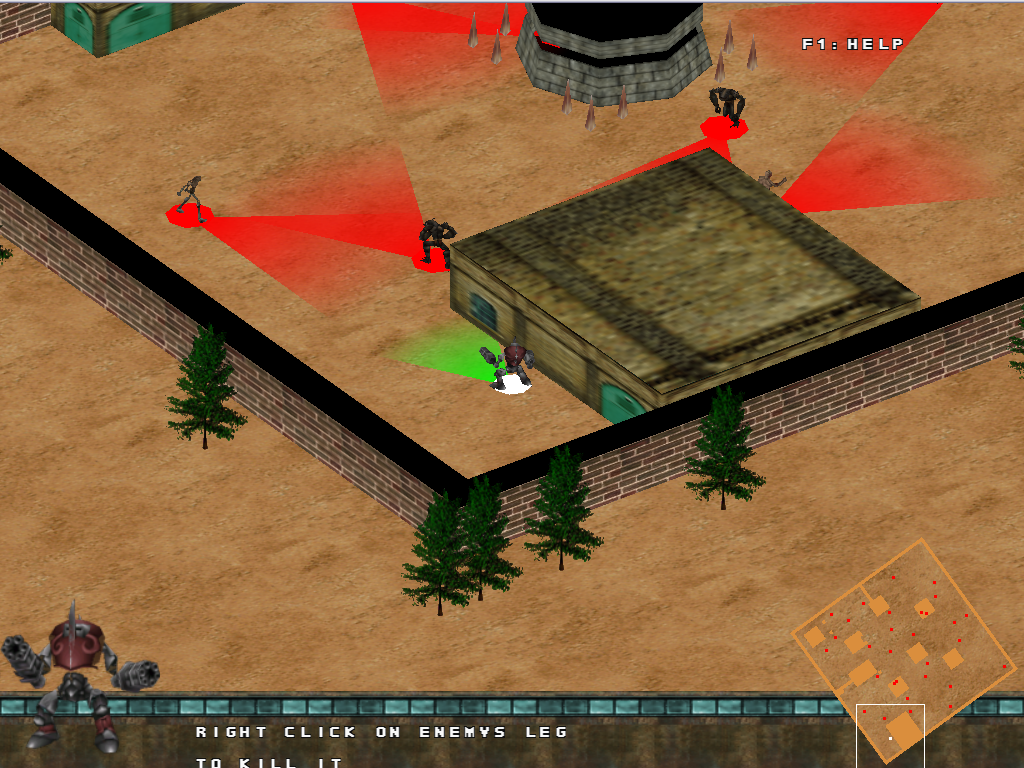
So Instead of writing from scratch, I thought it would be best if I tried out on an already developed game and "Adrian" was the obvious choice. We have been updating the game since last year during our free time (yes.... this isn't a solo effort... ) and so updating graphics engine came up. I wanted to start small and so started off with the implementation of Post-Processing pipeline for the game engine. Here are the results..

You can Grab Source Code at code.google.com/p/adrian
You can Follow Adrian Dev Blog

Toon Shading

Depth Of Field (well kinda)

Bloom (My Fav)
Normal Rendering

hope you like it :D Im' totally excited about this.. keep tracking for further updates ..

Comments

Popular posts from this blog

Flash animations in GoDot Engine

If you have not heard about GoDot game engine,.. you should check it out right away.. godotengine.org Last time, i wrote a blog post about my experience making a simple physics game to GoDot Engine. Though there are a bunch of free options announced during the GDC this year, i thought ill' contribute to the engine. The one piece that is most important for game dev is the pipeline for the engine. One of the most common tools used for 2D animations is Flash. I have been using a library called Super Animation for almost all the games we've made for android at TMG. It's  a  free tool which lets you convert swf files to .sam files. This file can then be loaded in Cocos2Dx using the Open source loader library  https://github.com/raymondlu/super-animation-samples I thought it would be a good idea to port this cpp library to GoDot so that i understand how to write custom modules for the engine. This is the video of the module in action. I have expos...

Vehicle Physics (Godot 2D)

I've always been fascinated with the vehicle physics used in games. I played so many racing games / the hill climb games and every single time i would wonder wow that must be really hard to do. Thanks to the new generation of game development tools, developing physics based games has become almost a second nature to most people. I didn't want to be left out so i gave it a shot.. I tried setting up vehicle physics in GoDot Engine for a 2D vehicle. Here is what the vehicle scene looks like.. 2D vehicle setup in GoDot As you can see the body collision shape is not right but the rest of the stuff just works. The idea is simple think of what parts move along with the body vs what doesn't. I was kinda stuck setting up the pinJoint2D in GoDot, it actually clearly takes two nodes under the properties. This makes sure that the wheels are hinged to the DampingSpring2D. The Damping Spring2D takes two physics bodies(Body and the PinJoint2D) and makes it work like shock ab...

Gif Animation in Gimp

Ever wondered how to make a gif animation using gimp?? Hmm ofcourse you did.. well even if you did not.. it would be good to know how simple gif animations can be made in this Free image editing software. Here is a sample of what can be achieved. Yes it looks crude.. but i made it in less than 20mins.. so i guess its valid :) any way.. coming to how we do it.. open gimp, create a new image, press ctrl+l this will bring up the layers dialog. In this layers dialog you are provided options to create delete, move the layers. So keep adding layers, each with the next image in the animation sequence. Want to check how your animation looks?? go to filters->animation->playback this will launch a dialog box which has playback, rewind and step buttons on it. Click on playback button and you will see how your animation looks. Satisfied?? just save the animation with an extension ".gif" ..you have to note that while saving you will be asked if you want the different layers to be mr...